The views expressed in this session are my own and do not represent official firm policy. Any tools, platforms, or products mentioned are for educational purposes only and are not endorsed by the firm. Always follow your organization's technology and compliance policies.
Every leader agrees. The question is: what comes next?
Howard Marks, Co-Chairman — Oaktree Capital
From can't do arithmetic → to writing production software. 3 years.
— "AI Hurtles Ahead" (Feb 2026)
But here's the thing —
When Satya, Sundar, and Sam talk about AI, they're not talking about chatbots.
They're talking about
something bigger.
Not a tool you type into. An operating model you build on top of.
What they actually mean
Predictive Modeling
Market signals, client behavior, risk — modeled before they happen
Operational Efficiency
Processes that took teams of people now run autonomously
Entirely New Products
AI-native offerings that didn't exist 18 months ago
Industrial scale.
Most firms hear that and think:
"We have Copilot. We're covered."
That's like buying a hammer and calling yourself a construction company.
Copilot is useful. Chatbots are useful.
But they're the starting line, not the finish line.
This session goes beyond chatbots and Copilot.
The basics — yes. But more importantly: what happens when you go further, how firms are leveraging AI at scale, and how you personally get faster, better, and find real balance.
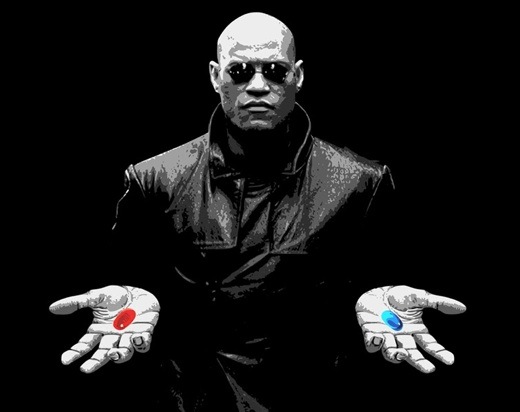
▶ CLICK A PILL
The answer:
Your mix tape
Your own website
Like this one you're looking at right now
yourfirm.ai
Your own chatbot
A research assistant that finds the best investment analysis across every source
trained on your firm's data
Your own tools
A real estate rental income tracker that updates itself every month
dashboards, models, automations
Think of it like a mix tape — yours, personal, built from pieces you choose.
To build, you need four things
The Tools
Claude, OpenClaw, Perplexity — the models that do the work
The Location
Where you build — Cowork, Code, your desktop
The Marketplace
OpenRouter, plugins, MCP servers — where you find the pieces
The Storefront
Where it lives when it's done — a site, a tool, something others can use
The Landscape
What Most People Think AI Is
- Copilot embedded in Outlook
- "Awesome" emails with long hyphens
- A smarter Google search
- A chatbot you ask questions to
- Something IT is figuring out
What It Actually Is Today
- Reasoning models you choose by task
- Orchestrators that route to the best one
- Agents that execute multi-step workflows
- AI coworkers that live on your desktop
- Systems that compound over time
The big four
The Generalist
Sam Altman, OpenAI
The Deep Thinker
Dario Amodei, Anthropic
The Visual One
Sundar Pichai, Google
The Researcher
Aravind Srinivas, Perplexity
 Sam Altman
Broadsword
Sam Altman
Broadsword
 Dario Amodei
Spear of Safety
Dario Amodei
Spear of Safety
 Sundar Pichai
War Hammer
Sundar Pichai
War Hammer
 Aravind Srinivas
Crossbow of Search
Aravind Srinivas
Crossbow of Search
There's space for everyone. For now.
What it costs per 1M tokens
Input cost per 1M tokens (output ~3-5x higher)
Your daily coffee = 5,000 AI tasks
The ecosystem layer
OpenRouter
One API key, every model. Routes your query to ChatGPT, Claude, Gemini, Llama — pay per token.
openrouter.aiMCP Servers
Plugins that connect AI to your tools — Gmail, Slack, calendars, databases, file systems.
Model Context ProtocolSkills (MD Files)
Markdown instructions that teach AI how to do specific tasks — your playbook, codified.
Custom knowledge packsClaude Desktop
AI that lives on your computer. Reads your files, runs code, creates documents locally.
Cowork + Code + DispatchPerplexity
AI-powered search that reads the web in real-time. Cites its sources. Great for research.
perplexity.aiOpen Source
Llama, Mistral, DeepSeek — free models you can run yourself. Privacy-first, no API needed.
Run locally or in cloudEvery piece connects. Pick what you need.
Think in jobs, not projects
You don't ask the chef to run the restaurant.
Prep Station
Mise en Place
Gather data, scan filings, pull research, extract tables
Cooking Station
The Main Event
Analyze, synthesize, write commentary, decide
Plating Station
Presentation
Format reports, polish decks, deliver to clients
Each station is a job. Each job gets the right tool and the right model.
Real example
Investment Research — Broken Into Jobs
7 jobs. 3 models. One research note. Total cost: ~$0.40.
Personal example
Your Morning Commute — Automated
Every day you drive to the station, buy a ticket on your phone, and activate it on the train. What if AI did all of that?
7:00 AM — OpenClaw detects your alarm
Triggers the commute workflow automatically
Checks live timetable via API
Finds best train based on current delays & your calendar
Purchases ticket on your phone
Uses saved payment, selects correct route and class
Tracks your geolocation to the station
Monitors distance — knows when you're approaching the platform
Activates ticket when you board
GPS confirms you're on the train → ticket goes live
You didn't touch your phone. OpenClaw handled every step.
What are you trying to do?
Click to follow your path
Ask a question
Research, look something up
Create a document
Write, analyze, report
Automate a workflow
Repeatable, scheduled
Build something
Code, apps, systems
Key to success
Match the job to the model
Opus
$15 / 1M tokensCross-domain synthesis
Sonnet
$3 / 1M tokensAnalytical depth
Haiku
$0.25 / 1M tokensSimple & fast
Not every task needs Opus. Most of your daily work is Haiku.
The orchestrator
247K
GitHub Stars
Most starred AI project in history
Personal
- Vacation planning
- Mortgage research
- Medical summaries
Professional
- Client proposals
- Earnings analysis
- Dashboards
Use case: automate the mundane
Book a restaurant. Hands-free.
"Book Nobu for 4 on Saturday at 8pm"
OpenClaw checks availability via API
Books table, adds to your calendar
Texts your guests the confirmation
One sentence. Four actions. Runs every time you need it.
Set Up OpenClaw
5 minutes, free to start
Download from openclaw.com
Mac, Windows, or Linux
Add your API key from OpenRouter
$5 credit gets you started — pay per use
Choose a model (or let it pick)
Claude, GPT-4o, Gemini, Llama — all available
Connect your tools via MCP
Gmail, Slack, Calendar, Files — plug and play
Drop in your skills — and go
That's it. You have an AI operating system.
Skills you can add
Skills are .md files that teach OpenClaw how to behave. Drop them in, and every conversation follows the rules.
Client Tone
"You write like a senior wealth advisor. Measured, confident. Never say 'I think' — say 'our analysis indicates.'"
Fund Memo Reviewer
"Act as a skeptical IC member. Flag unsupported claims, missing risk factors, and logical gaps before anything else."
Market Scanner
"Every morning, pull overnight movers, top analyst upgrades/downgrades, and macro headlines. Format as a 2-minute briefing."
Meeting Prep
"Before every external meeting, pull the contact's recent filings, news mentions, and our last 3 interactions. Generate 3 smart questions."
Email Drafts
"Draft client updates in my voice. Paste my last 5 emails as reference. Keep everything under 200 words. Never promise performance."
Each skill is just a text file. Write it once, use it forever.
Your AI Coworker
This isn't a chatbot. It lives on your desktop.
Cowork
Creates your documents
Code
Writes your software
Dispatch
Runs tasks from your phone
How to access
Cowork is a desktop-only feature. Dispatch lets you trigger it remotely.
For builders
Claude Code
An agentic coding tool that lives in your terminal. It reads your codebase, writes files, runs tests, and commits to git — all from a conversation.
❯ Fix the auth bug in login.ts
❯ Reading src/auth/login.ts...
❯ Found null check issue on L42
❯ Fixed. Tests passing. Committed.
Claude Cowork
What you're looking at right now
This entire website — HTML, CSS, JS, animations — was built in Cowork.
Built-in skills
Cowork comes preloaded with Skills — markdown instructions that teach it how to produce professional output. Here are three it used to build this presentation:
pptx
Creates investor decks with proper layouts, speaker notes, and branded formatting — real .pptx files, not screenshots.
xlsx
Builds multi-sheet financial models with formulas, formatting, and charts. Outputs real Excel files you can open in Excel.
docx
Writes polished Word documents — memos, reports, client letters — with headers, tables, page numbers, and your letterhead.
You can also write your own. A .md file that says "You are a senior wealth advisor. Always use measured, confident tone." — that's a skill. Drop it in, and Cowork follows it every time.
AI in Action
Three real tasks. Before and after.
Client communications
Investment analysis
Meeting preparation
The best AI users aren't the best prompters. They're the best thinkers.
The input quality determines the output quality. Every time.
Questions you're probably thinking
Can I use Claude to send emails and get a summary of my inbox?
Yes. Claude connects to Gmail and Outlook via MCP plugins. It can read, summarize, draft, and send — all from a conversation.
Fun fact: Claude can tell you which writer your style matches
Paste a few of your emails or memos and ask: "Which famous author does my writing style resemble?" You might be a Hemingway. You might be a Malcolm Gladwell. Either way, it's a great icebreaker.
Can I use OpenClaw to automate trading?
Yes, technically. But gains and compliance are not guaranteed. These tools can execute trades via APIs — treat them like any other automated system. Know your firm's policies. Proceed with caution.
Can OpenClaw book dinner reservations or order an Uber with one text?
Yes — but beware: API restrictions are looser than the browser-based ones. I once ended up with four reservations at four different restaurants on the same night. I found out the hard way. :)
Fun fact: Claude can read a 200-page PDF and answer questions about page 47
Drop a fund prospectus, a compliance manual, or an earnings transcript. Ask anything. It doesn't skim — it reads the whole thing.
Fun fact: You don't have to type — just talk
Claude Mobile has voice mode. Describe what you need on the walk to your next meeting. It'll have the draft ready by the time you sit down.
Please follow your company's guidelines around use of AI. These are general suggestions only.
The Magic Show
Traditional SaaS
7 people
$800K / year
AI-Powered
1 person + AI
$200 / month
This website you're looking at?
Built by one person and AI. In one afternoon.
Let's build something.
Live. Right now.
The Playbook
7 ways to use AI today
Storyboard
Research
Communications
Review
Websites
Coding
Meeting Prep
Research
Synthesize data, find patterns, build conviction faster.
Pro tip: Use Perplexity for real-time data, Claude for deep analysis.
Communications
Draft emails, memos, and client updates in your voice.
Pro tip: Paste a past email so it learns your tone. Then iterate.
Websites
Build internal tools, dashboards, and landing pages — no code required.
Pro tip: Start with Claude's Cowork. It generates full working HTML.
Build It
From ad-hoc questions to systems that run themselves
Monday Morning Prep — runs every week
Pathway 1
Make your own website
No code. No hosting. Just a conversation.
Open Claude Desktop → Cowork mode
Describe what you want: "Build me a dashboard that shows..."
It writes the HTML, CSS, and JS — you see it live
Iterate: "Make it darker", "Add a chart", "Change the title"
Open the .html file in your browser. Done.
This presentation was built exactly this way.
Pathway 2
Create your own chatbot
A personal assistant trained on your context.
Go to OpenRouter → create an API key ($5 gets you started)
Ask Claude: "Build me a chatbot UI with an input field and send button"
Give it a system prompt: "You are a portfolio analyst who specializes in..."
Connect it to OpenRouter's API — Claude writes the code for you
Share the link. Your team now has a custom AI assistant.
The live bot on this site was built exactly this way.
Pathway 3
Set up your morning briefing
A cron job that runs before you wake up.
Open Claude Desktop → enable Scheduled Tasks
Write the task: "Every morning at 6:30 AM, scrape my inbox and..."
Connect your email + news sources via MCP plugins
Define the output: analysis, next steps, draft exec emails
Wake up to a briefing. Every morning. No prompts needed.
This is the difference between using AI and building with it.
Our Superpowers
AI handles the first 80% of analysis. Your expertise handles the last 20% — the part that actually makes the call.
Resources
Pick a tool
Claude, Perplexity, OpenClaw — just one
Try one real task this week
Not a test. Something from your actual day.
Share what you find
The team gets better when everyone experiments.
Nobody has it figured out. Start anyway.
Your deliverables are ready.
Waiting for the bot to finish...
Now